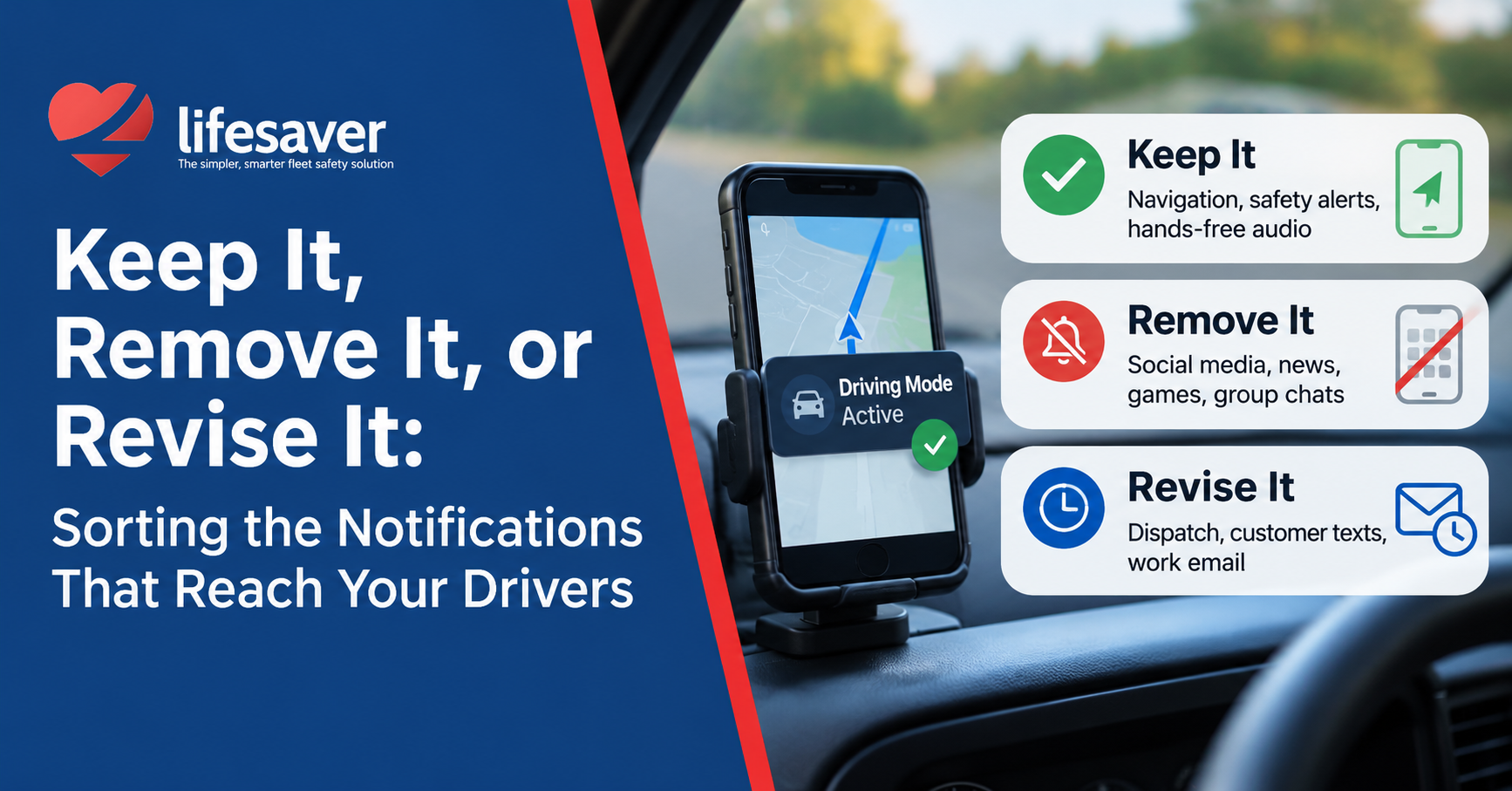
In a recent LinkedIn article, behavioral scientist Nir Eyal offered a simple test for every notification: “Is this trigger serving me, or am I serving it?” His advice isn’t to silence everything. It’s to sort your recurring triggers into three buckets: keep it, remove it, or revise it.
For a knowledge worker, a bad sort costs a few minutes of focus. For a driver, it can cost a crash. That makes Eyal’s framework more useful in the cab than at the desk, because behind the wheel the right answer for each bucket is unusually clear.
Here’s how the notifications that reach a working driver sort out, and how fleets can make that sort happen automatically instead of hoping drivers do it themselves at 60 mph.
The goal isn’t to silence every notification. It’s to make sure the right information reaches the driver at the right time.
Keep it: triggers that help the driver drive
A small set of triggers makes driving safer, and those should reach the driver every time. The test is simple: does this cue help with the task in front of them right now?
Navigation. Turn-by-turn directions are the clearest example. A driver who can’t see the next turn is more likely to pick up the phone to check it, which is exactly the behavior a safety program is meant to prevent. Maps stay on screen and spoken directions stay on.
Voice safety alerts. Spoken alerts that coach the driver in the moment belong here too. LifeSaver Sentinel, built for Amazon Delivery Service Partners, speaks up when a driver is speeding, so the cue arrives by ear and the driver’s eyes stay on the road. Alerts for stop signs and reversing too fast are next on the roadmap.
Hands-free calling and audio. Voice commands, hands-free calls, and music or podcasts keep working. None of them require a glance at the screen.
Remove it: triggers with no place in a moving vehicle
Some triggers have zero value to a driver while the wheels are turning. Social media, news alerts, games, shopping apps, and group chats all pull attention toward something the driver never intended to do on the job.
These don’t need a smarter delivery schedule. They need to stay off the screen while the vehicle is moving. The driver still gets every one of them later; nothing is deleted. The phone simply stops offering the temptation during the moments when a two-second glance carries real risk.
Revise it: useful, but not while moving
This is the biggest bucket, and the one most fleet safety programs get wrong. Dispatch updates, customer texts, work email, route changes, and a manager’s “quick question” all matter. Blocking them outright frustrates drivers and pushes them to work around the policy.
The better move is the one Eyal recommends: change when the trigger arrives, not whether it arrives. A dispatch message that lands at the next stop is just as useful as one that lands mid-turn, and far safer. Drivers keep every tool they need for the job. Those tools just wait their turn.
The same logic applies to personal phones. When restrictions apply only while an employee is driving a company vehicle, the phone is fully theirs the rest of the day.
How LifeSaver does the sorting for you
Eyal’s framework asks each person to audit their own triggers. That works at a desk. It doesn’t work for a fleet of hundreds of drivers, each with a phone full of apps and a schedule full of pressure. LifeSaver applies the sort at the source, the phone itself, so the decision is made before the drive starts instead of in the middle of it.
| Category | Examples | While driving | At next stop |
|---|---|---|---|
| Keep it | Navigation, Sentinel voice alerts, hands-free calls, music | Available | Available |
| Remove it | Social media, news, games, group chats | Held back | Available |
| Revise it | Dispatch, customer texts, work email | Held until stopped | Delivered |
That sort follows LifeSaver’s Operational Distraction Prevention framework:
Predict. When distraction risk is present, using duty-status signals such as ELD status from Samsara, Motive, or Geotab, Bluetooth beacons, or hours set in the admin portal.
Prevent. Keep the screen from becoming a distraction during those moments, while navigation, voice, and hands-free audio keep working.
Prove. Show the program is working, with reporting that safety leaders, drivers, and insurers can see.
The takeaway
The goal of a fleet phone policy isn’t zero notifications. It’s the right notifications at the right time: keep the cues that help drivers drive, remove the ones that only pull them away, and revise everything else so it arrives at the next stop.