- /
- /
- /
Why is there a blue ribbon on iPhone’s screen top?
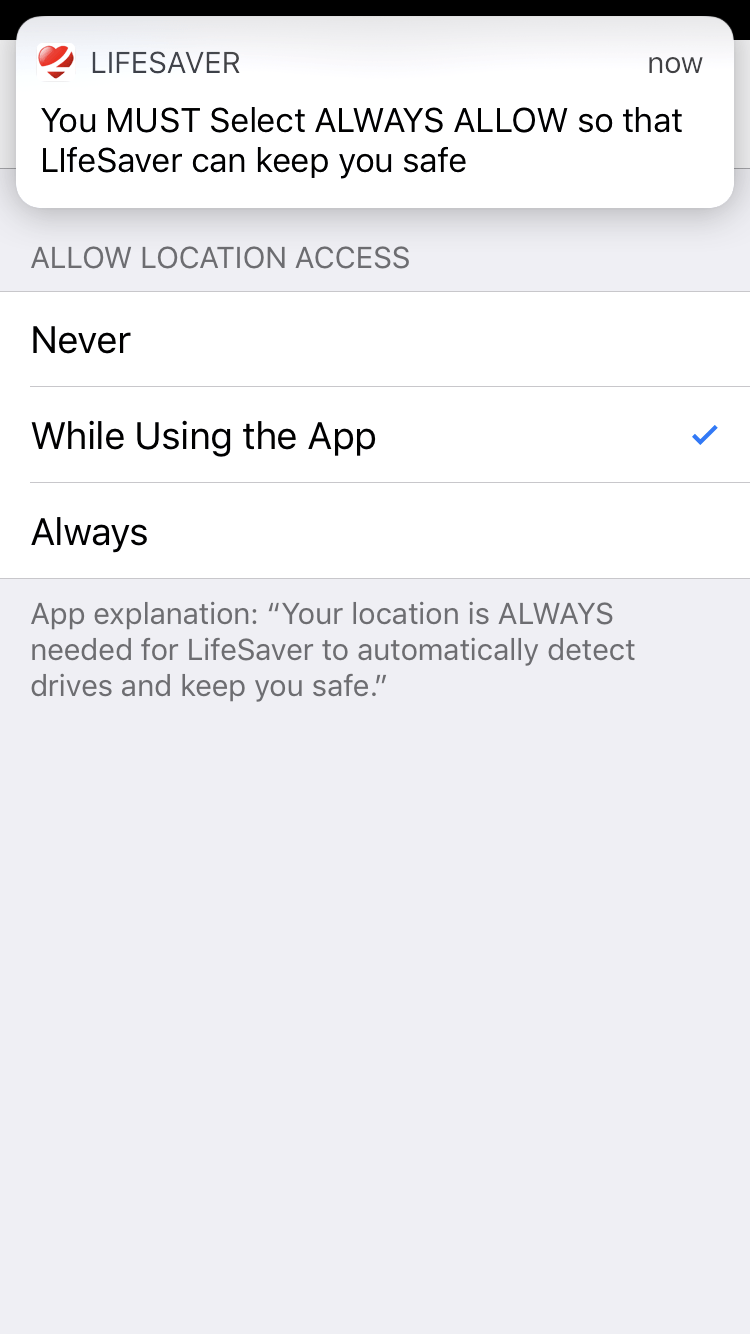
A blue ribbon that says “LifeSaver is Actively Using Your Location” will appear on the top of screen if your “Location” is incorrectly set to “While Using the App”.
To turn the blue ribbon off, go to iPhone’s Settings > LifeSaver > Location: Always. For LifeSaver to work properly, your location settings must be set to ‘Always Allow’.



Quick Links
Newsletter
Subscribe to the LifeSaver Ledger to receive the latest industry, technology, and safety news.
© Life Apps LLC, LifeSaver logo and design are trademarks of Life Apps LLC.
This site is protected by reCAPTCHA and the Google Privacy Policy and Terms of Service apply.